 Screens
Put screenshots in a browser frame
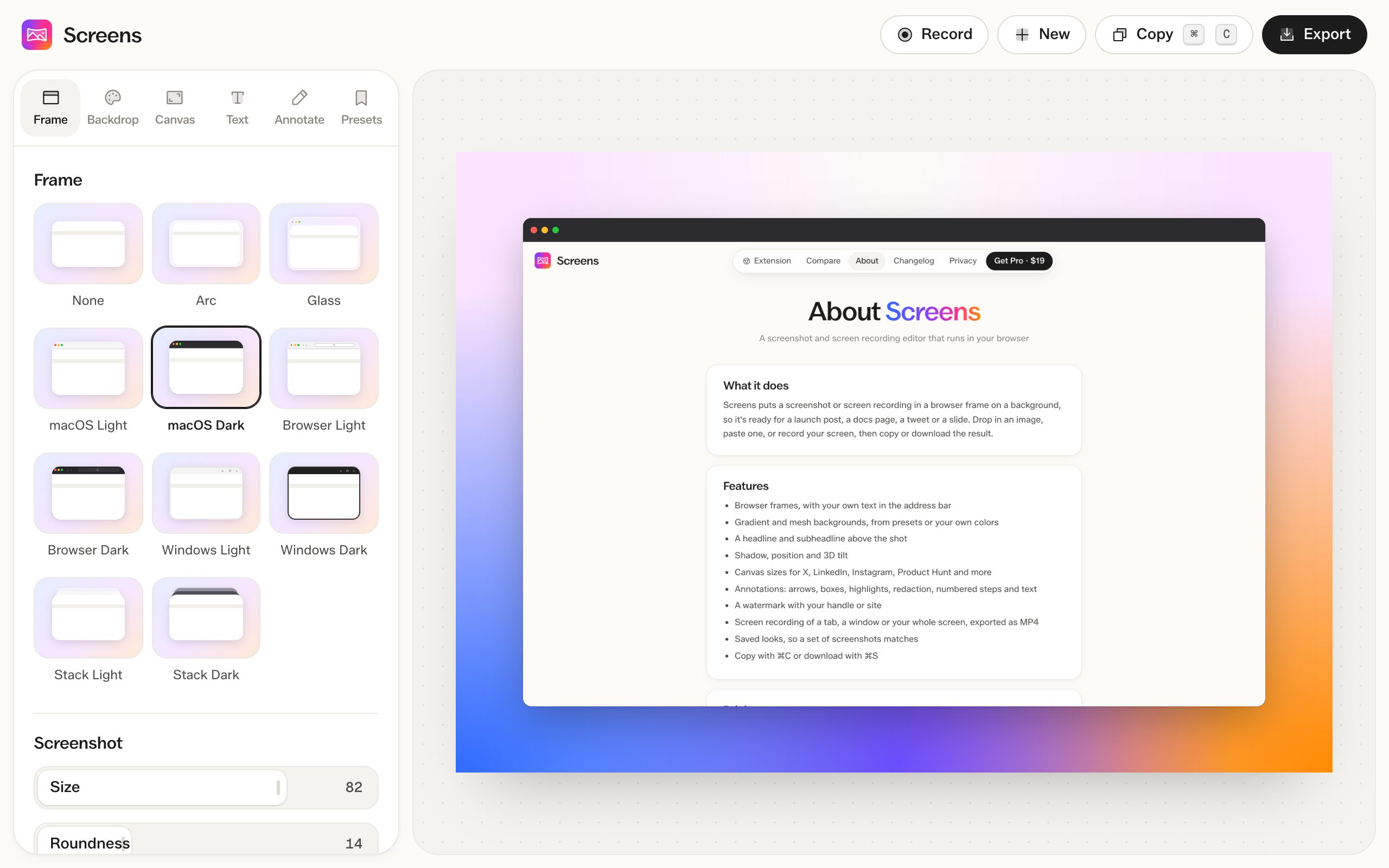
Choose from 11 frames, including browser windows, macOS and Windows windows, and Arc.
How to do it
- Open a screenshot. The Frame tab is the first one.
- Pick a frame.
- Type what the address bar should say.
Frames
None, Arc, Glass, macOS Light, macOS Dark, Browser Light, Browser Dark, Windows Light, Windows Dark, Stack Light and Stack Dark. Stack frames show two windows behind the screenshot.
Address bar
Type any text into the address bar. When you capture with the extension, it shows the site's domain.
Size, corners and shadow
Set how much of the canvas the screenshot fills, how round the corners are, and a soft, float or hard shadow. You can also add a colored border and rotate the screenshot.
Questions
Are frames free?
Yes. Every frame is free on screenshots and videos.
Can I use a frame on a video?
Yes. Frames work on screen recordings too.