 Screens
Add a headline and watermark to screenshots
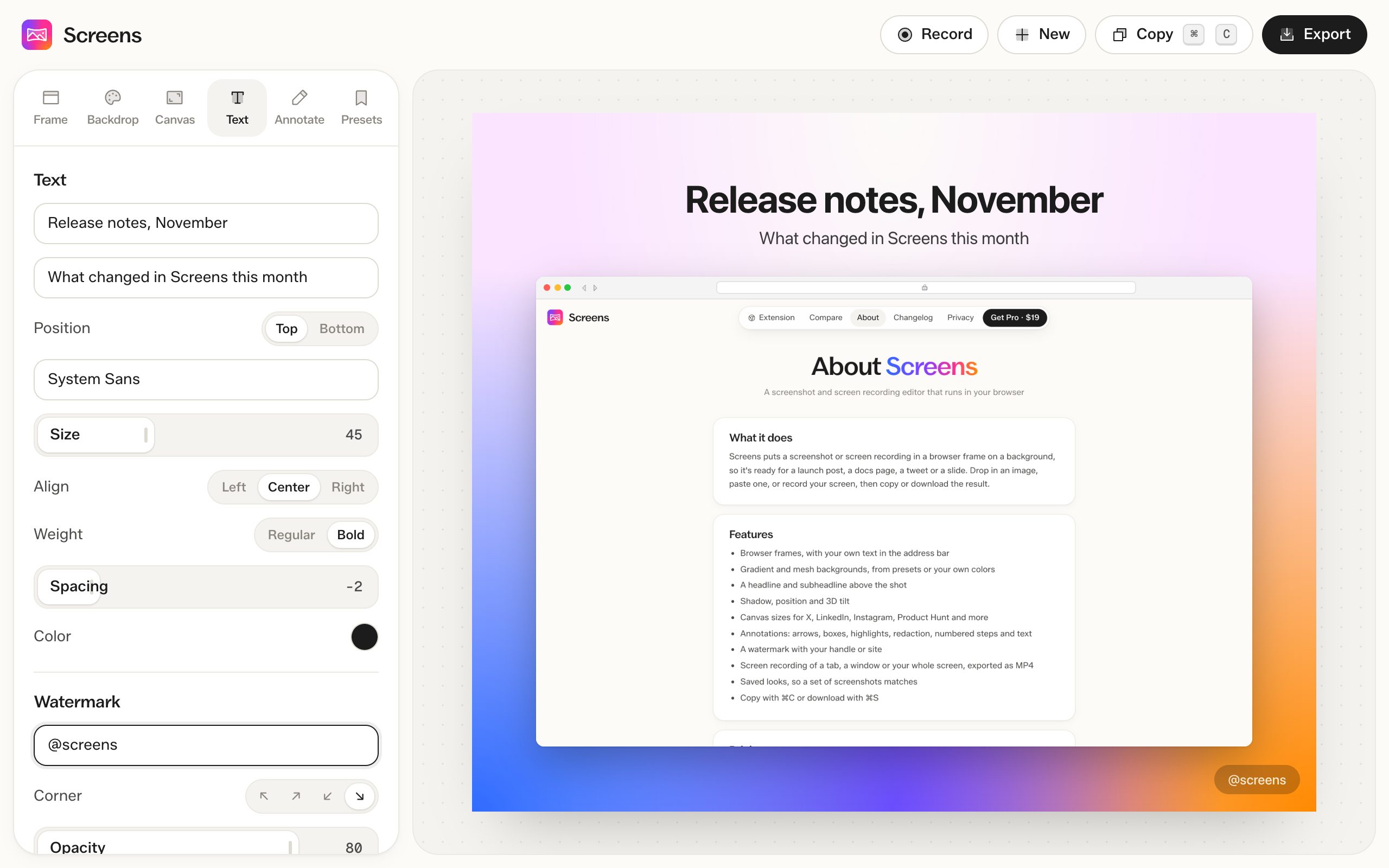
Put a headline and subheadline above or below the screenshot, and your handle or site in a corner.
How to do it
- Open a screenshot and go to the Text tab.
- Type a headline and, if you want, a subheadline.
- Pick a font, size and color. Add your handle as a watermark.
Text
Place text above or below the screenshot. Choose from 1,900+ Google Fonts or your system fonts, and set the size, alignment, weight, letter spacing and color.
Watermark
Add your @handle or site in any corner and set how see-through it is.
Free and Pro
Text and your own watermark are free on screenshots. In MP4 exports, text needs Pro, and free videos show "Made with screens.click" in place of your watermark.
Questions
Do fonts need to be installed?
No. Google Fonts load in the browser when you pick one.