 Screens
Size screenshots for social media
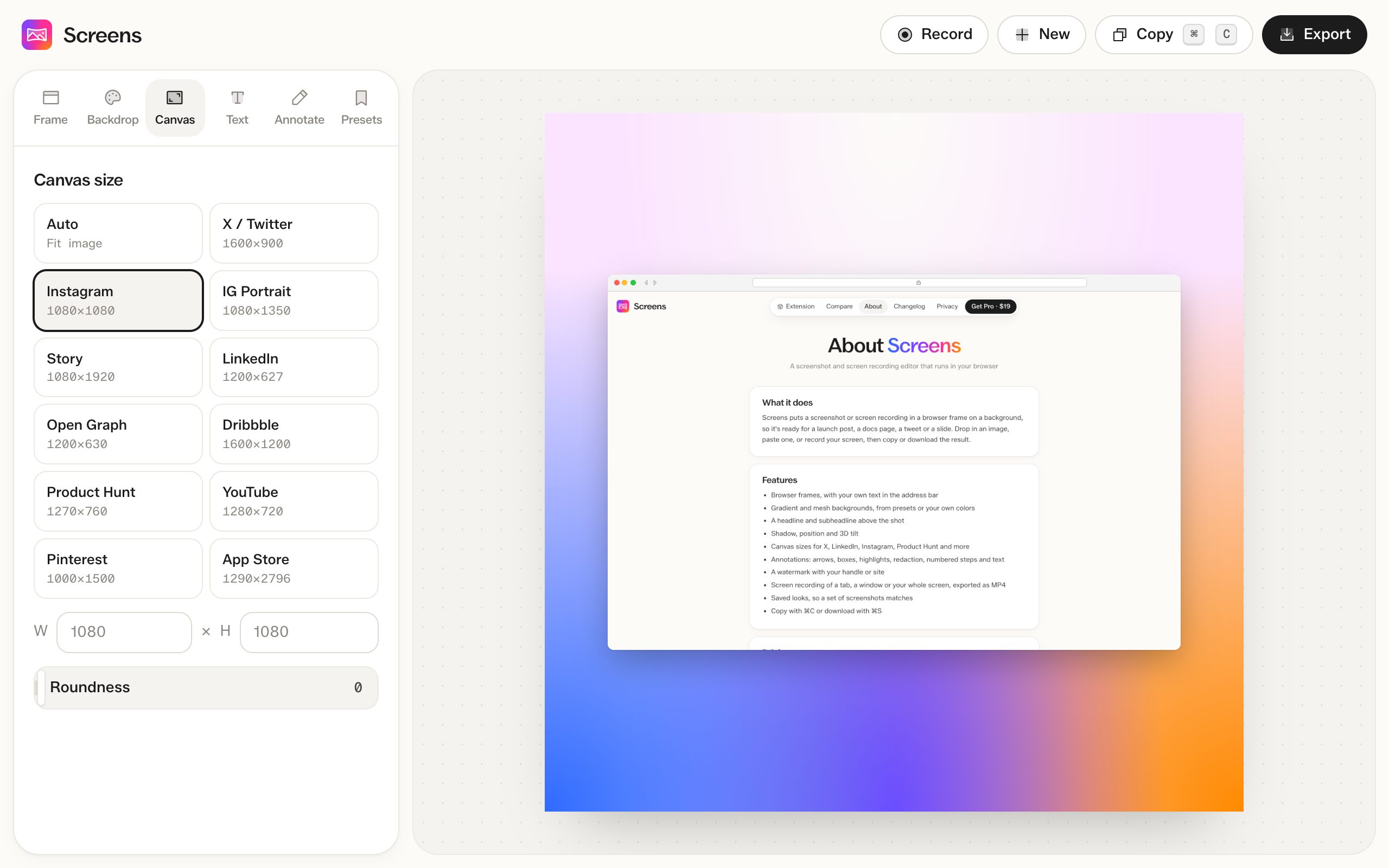
Pick a preset and the canvas matches the size each site expects, with the screenshot centered on it.
How to do it
- Open a screenshot and go to the Canvas tab.
- Pick a preset, or type a width and height.
Presets
| Preset | Size in pixels |
|---|---|
| Auto | Fits the screenshot |
| X / Twitter | 1600 × 900 |
| 1080 × 1080 | |
| Instagram portrait | 1080 × 1350 |
| Story | 1080 × 1920 |
| 1200 × 627 | |
| Open Graph | 1200 × 630 |
| Dribbble | 1600 × 1200 |
| Product Hunt | 1270 × 760 |
| YouTube | 1280 × 720 |
| 1000 × 1500 | |
| App Store | 1290 × 2796 |
Custom sizes
Type any width and height from 200 to 6,000 pixels. You can also round the corners of the canvas.
Questions
Are canvas sizes free?
Yes. Every preset and custom size is free. Exports above 1x need Pro.
Do sizes work for videos?
Yes. A recording can be exported at any canvas size, like 1080 × 1920 for a story.